A soccer scoreboard graphic must show both team identities, the live score, the count-up match clock and which half you are in. In a live broadcast that graphic is also called the scorebug, and plenty of people write it as two words, a soccer score board: all the same thing, shrunk into a corner. Everything after that, stoppage time, cards, player counts, possession and aggregate score, exists because the match cannot be read from the score alone. This guide covers every state a football scoreboard has to handle, and why the clock breaks most overlay tools.
Definition. A soccer scoreboard overlay, also written soccer score board or football scorebug, is a persistent broadcast graphic carrying both teams, the score, the count-up match clock and the current period, extended with stoppage time, disciplinary state, player counts and live match statistics. It is driven by an official data feed where one exists, and by a live scoring app where one does not.
What a soccer scoreboard must show
A football scoreboard has the fewest moving parts on screen of any major sport, which makes every element load-bearing. A viewer joining at minute 63 reads the whole match state in about a second. These earn their place.
| Element | Why it matters | Source of data |
|---|---|---|
| Team crest and three-letter short code | Identity must be legible before the score is. Crests alone fail on small screens | Competition config, not derived from the team name |
| Score, home and away | The reason the graphic exists | Goal, own goal and penalty-scored events |
| Match clock | Counts up, so it also tells you which half you are in | Live clock, driven by period events |
| Period or half badge | HT and FT are separate states, not just a paused clock | Period state |
| Stoppage time indicator | The added minutes are announced, not calculated | Fourth official board |
| Player-count indicator | A 10-man team explains the shape of the next 30 minutes | Derived from red cards and second yellows |
| Aggregate score | In a two-legged tie the leg score is half the information | Both legs, plus an away-goals rule where one still applies |
The clock is the hard part
Football has one of the strangest clocks in sport, and it breaks generic scoreboard software quietly. Almost every other timed sport counts down to zero. Football counts up, never resets mid-half, and keeps playing past the number the viewer thinks is the end.
The rule that matters: the displayed clock should not roll past 45:00 in the first half or 90:00 in the second. It freezes there and added time is carried by a separate indicator. That is why a football bug needs a stoppage state rather than a bigger number, and why a countdown widget cannot be repurposed for football without lying about the match.
| Phase | What the clock does | What else changes on the bug |
|---|---|---|
| First half | Counts up to 45:00, then holds | A +X pill carries the announced added minutes |
| Half-time | Hidden or frozen | HT badge, score enlarged. The clock gets out of the way rather than sitting there dimmed |
| Injury or VAR pause | Frozen but visible, dimmed | A reason label where available |
| Second half | Counts 45:00 to 90:00 | Clock resumes from 45:00, not from zero |
| Extra time | 90:00 to 105:00, then 105:00 to 120:00 | ET badge, each period with its own stoppage indicator |
| Penalty shootout | Removed entirely | Shootout tracker replaces it. A frozen clock during penalties is meaningless furniture |
| Abandoned or delayed | Stopped | An explicit badge. A stopped clock with no reason reads as broken |
Two craft details separate a broadcast-grade bug from an amateur one. Numerals must be tabular, so the clock does not jitter sideways when 9 becomes 10. And the pause state needs its own visual language, usually the colon, so a viewer can tell a stopped clock from a frozen render: when a stream drops frames, a static clock is the first thing people blame.
The stoppage indicator has one hard rule: it shows what the fourth official signalled, and never auto-increments off a stopwatch. Referees regularly play beyond the announced minimum, so a bug counting +6, +7, +8 on its own is publishing a number nobody agreed to.
Scoring events and what the bug does
A goal is not one event on a football scoreboard. It is a score increment, a colour flash keyed to the scoring team, a celebration overlay carrying scorer, minute and assist, and a set of consequences. Firing each exactly once, in order, is the work.
- Goal. Score increments once. The flash uses the scoring team colour, not that of whoever last touched the ball. The overlay carries scorer, minute and assist, and hides the assist line cleanly when there is none.
- Own goal. The score increments for the opposing team while the overlay names the player with an OG label. This is where naive graphics credit the wrong side.
- Penalty awarded. A badge, no score change. A separate fact from the outcome, because the gap between award and kick can be minutes. The goal that follows carries penalty attribution, so highlights can tell a penalty from open play.
- Penalty missed or saved. No increment, and the graphic distinguishes saved from off target. Different stories.
- VAR check. The banner holds indefinitely, because nobody knows how long a review takes. It clears only on a confirmed or overturned outcome, and the score flash is suppressed meanwhile, so the bug does not celebrate a goal about to be chalked off.
- VAR overturned. The score has to go backwards, the requirement most scoreboard tools fail, because they are built to increment and never to reverse.
Competitions using sudden-death extra time also need a golden-goal state, which changes the meaning of the next goal rather than the arithmetic.
Cards, red cards and player counts
Disciplinary events show the difference between a pop-up and a state. The card graphic is transient. Its consequence is permanent.
- Yellow card. Player name and minute, plus a reason where the feed supplies one. Multiple cards in one passage of play queue rather than stack.
- Second yellow. The visual reads as a sequence, yellow then red, so the viewer understands why a player who was not sent off a moment ago now is. Hence it looks different from a straight red.
- Straight red. Its own visual language: harder motion, red plate.
- Player count. Both paths produce the same result: a persistent 10-man indicator next to the team code. It stays until full time, not for the incident window.
- Card upgraded or downgraded. Where VAR turns a yellow into a red, or clears a red, the player count follows in both directions.
Substitutions are the other persistent-state event. Many competitions now allow five substitutions across up to three windows plus half-time, so a bug tracking substitution counts must track windows as well as players. The lower third has one non-negotiable convention: red down-arrow for the player off, green up-arrow for the player on, regardless of team colours.
Extensions: the stats worth putting on the bug
A scorebug extension is a stat panel that pops out of the bug rather than taking the frame. It keeps the score on screen, so it can fire during live play. That constraint decides which stats belong.
| Extension | What it shows | When to fire it |
|---|---|---|
| Possession | A split bar, home against away, always summing to 100 | Not in the opening minutes. Possession over four minutes is noise, and publishing 78 to 22 at minute three damages trust in every number after it |
| Shots on target | A counter pair, flashing only on the side that changed | On increment, and at natural breaks |
| Corners | A running count per team | On a corner event, or persistent on an expanded bug, but suppressed in the seconds around a goal |
| Aggregate score | AGG 3-2 beside the leg score | Whole match, two-legged ties only, flipping when the aggregate lead changes |
| Penalty shootout tracker | A dot per kick: scored, missed or pending, current kicker highlighted | Whole shootout, growing past five kicks a side for sudden death |
Extensions are also the natural home for a sponsor: a panel firing on a real milestone gets watched, where a static bug logo gets ignored.
How LIGR drives a football scoreboard
Football is the sport LIGR has the deepest graphics set for: scorebug, match stats, match ident, lower third and team list are all built and in production.
Data in. Where an official feed exists, LIGR takes it: Sportradar, Opta and Stats Perform, Genius Sports and InteractSport all resolve to the same graphics. Where none exists, and below the top tier of football there usually is not one, the LiveScore app becomes the feed. An operator presses buttons for real events, goal, card, substitution, corner, and the graphics follow. Every event is timestamped, which makes stat extensions and automated highlight clipping possible in a competition that has never had a data provider. The scoring app is not a fallback. It is the data layer.
Graphics out. The bug is designed in Rive and bound to live data in FUSE, LIGR's configuration and publishing engine. Because elements are data-bound rather than drawn, a stoppage pill, a 10-man badge or an aggregate row is a variable that appears when the state says so, not a second version of the graphic. Rendering is HTML5, so cost per match stays near zero whether you produce one fixture or four hundred.
Automation or an operator. Game Plans triggers graphics off match events and the clock: kick-off idents, half-time sequences, break playlists, and live playlists collecting goals, cards and subs. Auto-mode runs it with nobody in the chair. Where a producer wants a human in the loop, the Control Room fires extensions and lower thirds by hand over the top.
That runs at volume. LIGR produces 640-plus DAZN National League matches a season, and delivers graphics for competitions from the Corsican football league up. Football Australia uses LIGR across 3,500-plus matches a season. Same bug, same FUSE bindings, different data source underneath.
Put a real scoreboard on your football stream
Every element in this guide is a variable in FUSE, not a redraw. Point the football templates at a feed, or at the LiveScore app.
Every function, live
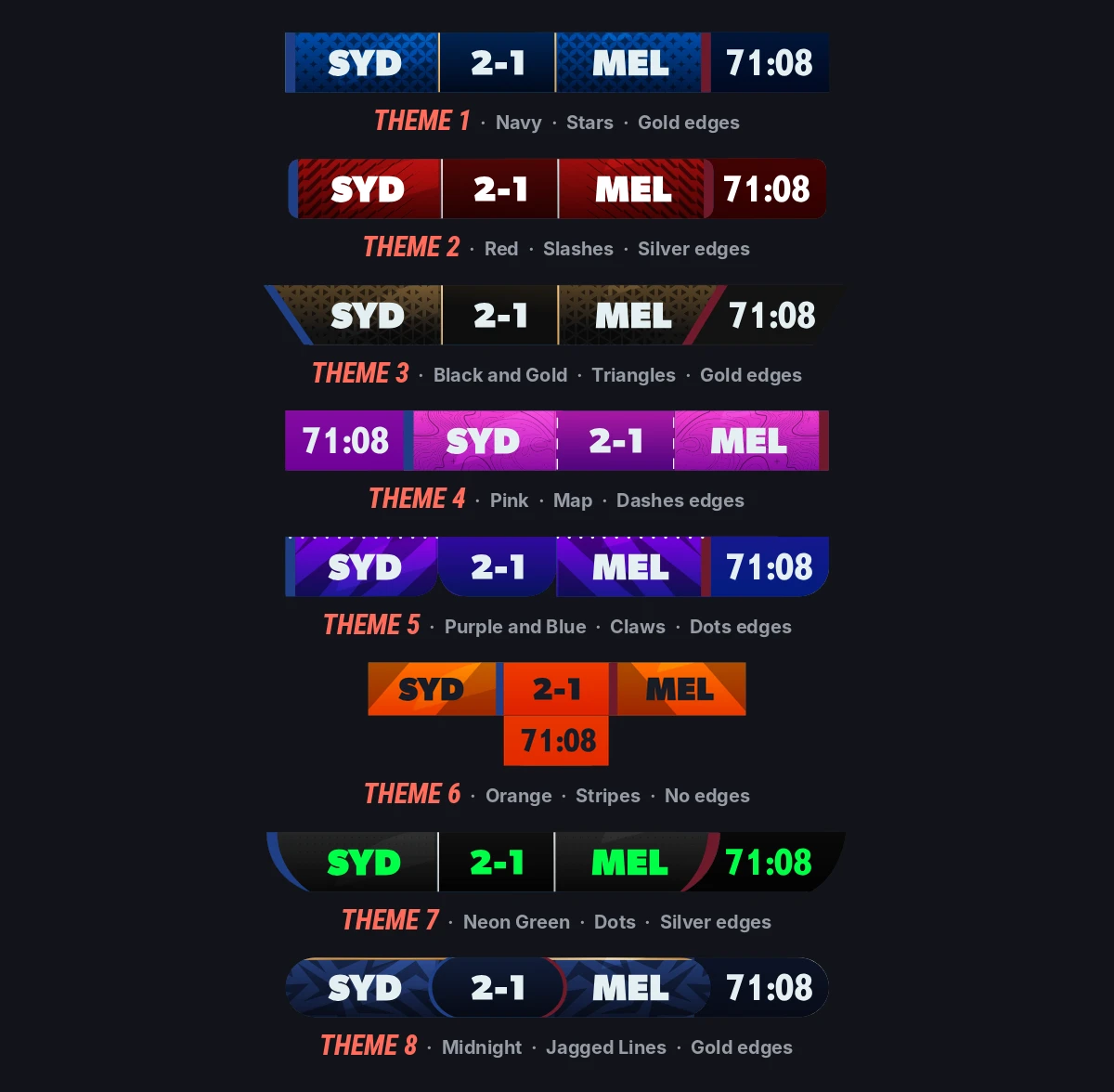
The extensions above are the states this scorebug carries. Each fires from a single data change.
Frequently asked questions
What is a soccer scoreboard overlay?
A soccer scoreboard overlay is the graphic laid over a live football stream or broadcast to show the match state. Broadcasters also call it the scorebug. For football it has to carry both team codes and colours, the score, the count-up match clock and the current half, plus announced stoppage time as a separate indicator and a player-count badge once someone is sent off. It runs from an official data feed, or from a live scoring app where no feed exists.
What does a football scorebug need to show?
At minimum: both team identities as crest and three-letter code, the score, the count-up match clock and the current half. Broadcast-standard bugs add announced stoppage time as a separate indicator, a competition badge, and a persistent player-count badge when a team is down to ten or nine. Possession, shots and corners belong on an expandable extension, not the permanent bug.
Does a football clock count up or down?
Up. It counts 00:00 to 45:00 in the first half, then continues from 45:00 to 90:00 rather than resetting. Broadcast convention is that the displayed clock stops at 45:00 and 90:00, with added time shown as a separate plus indicator, so a countdown timer built for basketball or ice hockey cannot represent a football match correctly.
How is stoppage time shown on a soccer scorebug?
As a separate pill beside the frozen clock, carrying the minutes the fourth official signalled: +1 through +9 or more. It appears only once the stoppage phase begins and must never auto-increment from a stopwatch, because referees routinely play beyond the announced minimum.
What happens to the scorebug during a penalty shootout?
The clock is removed, because elapsed time stops meaning anything, and a shootout tracker takes its place: a row of dots per team showing kicks scored, missed and pending, with the current kicker highlighted. It must grow past five kicks a side for sudden death, so a fixed five-slot design breaks at the moment everybody is watching.
Can a football scorebug work without an official data feed?
Yes, and below the top tier it usually has to. LIGR's LiveScore app lets an operator log goals, cards, substitutions and corners, and the graphics update exactly as they would from a Sportradar or Opta feed. Because each event is timestamped, the same input also produces match statistics and automated highlight clips.
How should a football scoreboard handle VAR?
With three separate states, not one. A check-in-progress banner holds indefinitely, because nobody knows how long a review runs, and the goal flash is suppressed while it is up. A confirmed outcome releases the score update. An overturned outcome must reverse an increment that already happened, which is where most scoreboard tools fail.