Products/Streaming
Distribute your sports broadcast everywhere
Your sports broadcast goes out to your own site, your social channels and your partners at the same time, with the graphics already on the feed.
As standard
From the camera at the ground to your channels
Graphics are composited in the cloud, so there is no broadcast hardware to install at the venue.
Composited in the cloud
Your graphics are burned onto the broadcast feed in the cloud. Each destination takes the programme feed with your graphics, or a clean feed for a partner who adds their own.
Ingest from any camera or encoder
RTMP and SRT from any camera, encoder or production chain you already own.
Multiple destinations at once
Unlimited streams within the hours on your plan, and up to three destinations simultaneously per stream, including YouTube, Facebook, Twitch and any custom RTMP endpoint.
Recording and VOD
Every match recorded with automatic VOD, stored with no retention window.
Watch it work
Your broadcast, everywhere
Graphics composited in the cloud, any camera or encoder in over RTMP or SRT, one production out to every destination at once, and streams that start themselves.
0:38, with sound.
Automation
Automate your broadcast distribution
Broadcasts are set up against fixtures in advance and start themselves, which is what makes a full round of matches manageable by one person.
01
Schedule streams against fixtures
Set up streams against fixtures in advance and let auto stream settings start and stop them.
02
Assign inputs and destinations once
Assign inputs and destinations once, then reuse the same configuration across the entire season without rebuilding each match.
03
Composite in the cloud automatically
Broadcast graphics composite automatically in the cloud, so nobody is switching overlays at the venue during a match.
LIGR Pro
Go further with LIGR Pro
Multi-feed is the advanced distribution tier inside LIGR Pro: any number of independent broadcast feeds off a single match, rather than one stream with one look.
In Studio a match produces a broadcast. On Pro a match produces as many as you have partners to sell to.
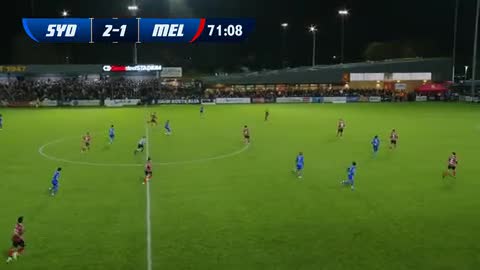
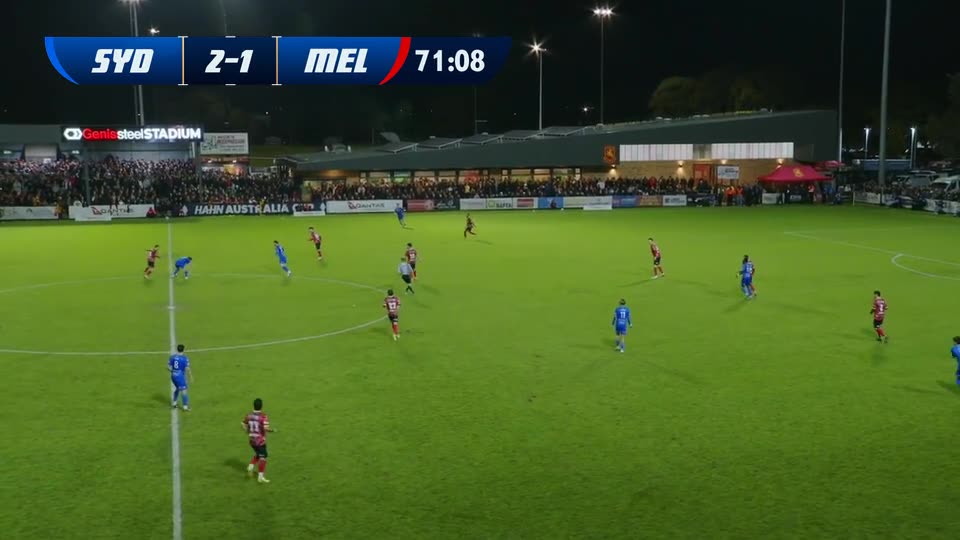
Independent broadcast feeds
Run any number of independent broadcast feeds off a single match, each with its own graphics, theme, sponsors, language and control.
Clean feeds for broadcast partners
Hand a clean feed to a broadcast partner while your own branded feed runs alongside, all from the same match.
Bring your own encoders and cameras
Bring your own encoders and cameras into the setup rather than working around them. LIGR Pro fits into your existing production chain.
Distribute to your existing partners
Distribute to the platforms and partners you already work with, including custom RTMP endpoints and broadcast delivery partners.
Managed monitoring and MCR
Add managed monitoring and master control room support so your team has visibility across every concurrent fixture.
Game-day support
24/7 game day support available for critical live events, with a direct line to the LIGR team before and during the broadcast.
Studio or Pro
The same core either way. These are the rows where they differ.
| LIGR Studio | LIGR Pro | |
|---|---|---|
| Getting started | Self-serve. Add a stream to a match and go | Configured with you around your inputs, feeds and delivery partners |
| Ingest | RTMP and SRT, any camera, encoder or production chain | Plus your own encoders and cameras built into the setup |
| Feeds per match | One stream and overlay per match | Any number of independent feeds, each with its own graphics, sponsors, language and control |
| Number of streams | Unlimited, gated by the hours on your plan | Sized to your fixture volume |
| Viewing | WebRTC or HLS, adaptive bitrate, embeddable player for your own site | Plus delivery to the platforms and partners you already work with |
| Support | Self-serve, help centre | Managed configuration, with concierge, MCR and 24/7 game day support available |
| Typically chosen by | Clubs, schools, colleges, single competitions, small production crews | Leagues, federations, rights holders, broadcasters, production companies |
Questions
Graphics are composited onto the broadcast feed in the cloud, so no hardware is needed at the venue. If a partner wants a clean feed to add their own, you can send that alongside.
Put your next match on air
Tell us about your competition and we’ll show you how it looks with LIGR.