Run a basketball scoreboard online and the first thing it needs is two clocks, not one. On top of the score, team abbreviations, period and game clock, it must carry the shot clock, each team's foul count and bonus state, timeouts remaining and, under FIBA rules, the possession arrow. Drop the second clock and it stops being a basketball graphic.
A basketball scoreboard must show the score, the period, the game clock, the shot clock, each team's fouls and bonus state, and timeouts remaining. In a live broadcast the same graphic is also called the scorebug. Most basketball scoreboard software is built around a single countdown and a pair of numbers, and basketball breaks that assumption twice: the shot clock resets on rules the game clock knows nothing about, and team fouls are a state as much as a count. This page sits alongside the master scoreboard guide, which covers the same ground across every sport.
What a basketball scoreboard must show
A basketball scoreboard must show the score for both teams, team abbreviations or logos, the period, the game clock, the shot clock, team fouls with bonus state, and timeouts remaining. FIBA and college competitions add the alternating possession arrow. Everything beyond that list is an extension, useful but optional.
| Element | Why it matters | Source of data |
|---|---|---|
| Score, home and away | Must increment by the value of the event, never a generic plus one. Scores reach three digits, so the layout has to hold at 100 or more. | Scoring events from the feed or the LiveScore app |
| Game clock | Counts down, stops on every whistle, and is the anchor every other element is read against. | Clock state, event driven |
| Period | Q1 to Q4, halves in NCAA men's competition, then OT1, OT2 and beyond, incrementing without skipping. | Period start and end events |
| Shot clock | The element that makes the graphic basketball. Resets on different rules to the game clock. | Feed field where one exists, otherwise operator reset |
| Team fouls and bonus | Tells the viewer whether the next foul is a free throw. Resets every period, which generic counters forget. | Foul events aggregated per team per period |
| Timeouts remaining | Reads as strategy in the closing minutes. Shown as pips, legible at a glance. | Timeout events plus competition rules |
| Possession arrow | Alternating possession under FIBA and college rules. Should not render in an NBA-rules broadcast. | Jump ball resolution, competition configuration |
| Team identity | Abbreviation, crest and primary colour, so the bug reads correctly at mobile size. | Competition and team records |
The clock is the hard part: basketball runs two of them
Basketball's quirk is two independent countdowns that stop and start together but reset on entirely different triggers. The game clock stops on every whistle and resumes on the referee's signal. The shot clock resets on a change of possession, on a shot that hits the rim, and, in the modern game, part way rather than fully after an offensive rebound.
| Competition | Period length | Shot clock | Reset after offensive rebound |
|---|---|---|---|
| NBA | Four 12 minute quarters | 24 seconds | 14 seconds |
| FIBA | Four 10 minute quarters | 24 seconds | 14 seconds |
| NCAA men | Two 20 minute halves | 30 seconds | 20 seconds |
NCAA women's basketball plays four 10 minute quarters. Overtime is five minutes at all of these levels. The consequence for a graphic is that period length, shot clock length and the partial reset value all have to be configuration, not hard-coded numbers, or one overlay cannot serve both a FIBA league and a college broadcast.
Three craft details separate a broadcast-grade clock from a web widget:
- Tabular figures. The numerals must be fixed width so the clock does not jitter sideways when 9 becomes 10 or 59 becomes 60. This is the single most visible tell of an amateur overlay.
- Tenths in the closing minute. Under a minute the display switches to tenths of a second, a wider layout. Design for that width from the start rather than letting the bug reflow at the most dramatic moment of the game.
- Never render 0:60. Sixty seconds is 1:00. It sounds trivial and it is the most common rounding bug in home-built scoreboards.
The shot clock adds its own states. It should turn red inside the last five seconds, flash on a reset, and show a violation only when possession is actually lost. The trap is a shot that beats the buzzer: the clock hits zero, the basket counts, and a naive rule that fires a violation whenever the shot clock reaches zero will put a turnover graphic over a made basket. The violation has to follow the officials' call, not the number reaching zero.
In basketball the second clock is not decoration. A scoreboard overlay without a shot clock is a scoreboard overlay for some other sport.
Scoring events and what the scoreboard does
Basketball scoring is typed. The overlay cannot simply add a point, it has to add the value carried by the event, and it has to say who and how.
| Event | What the bug does |
|---|---|
| Two-point field goal | Score plus two, scorer, assist credit where the event carries one, running scorer total. |
| Three-point field goal | Score plus three with a distinct treatment, plus the shooter's made-threes. A three that increments by two is the most damaging error a scorebug can make. |
| Free throw | Plus one on a make only. The graphic carries attempt numbering, 1 of 2 or 2 of 2, and the shooter's free throw percentage. |
| And-one | A foul, a made basket and a free throw in one sequence. The graphic fires once for the sequence, not once per event, then hands over to the free throw panel. |
| Dunk or alley-oop | A qualifier on the scoring event, not a separate score. It changes the animation, not the arithmetic. |
| Buzzer beater | Should only fire when the clock actually reached zero with the ball in flight, and the points still have to be credited. |
Fouls, the bonus and player counts
Fouls in basketball are two separate accounting systems on the same graphic, and most amateur overlays only build one of them.
- Personal fouls attach to a player. Disqualification comes at five under FIBA and college rules and at six in the NBA. The bug should warn as a player approaches the limit, and the foul-out deserves a full lower third.
- Team fouls attach to the team and reset at the end of every period. Under FIBA and NBA rules, the fifth team foul in a period puts the opposition in the bonus and every subsequent foul becomes free throws.
- The bonus is a state, not a number. This is the distinction generic basketball scoreboard software misses. Counting to five is easy. Persistently telling the viewer that the next foul is two shots, and clearing that state at the period break, is the part that has to be modelled properly.
- Technical and flagrant fouls need their own visual language. A technical is not a personal foul, a flagrant 2 carries an ejection, and a second technical to the same player chains straight into an ejection graphic.
Extensions: the stats worth putting on the bug
A scorebug extension is a pop-out stat panel attached to the bug. In basketball, the ones that earn their screen time are:
- On-court player line, points, rebounds and assists, restricted to the five players actually on court.
- Team shooting splits, field goal, three-point and free throw percentage, the stat commentary reaches for most often.
- Triple-double tracker, appearing only once a player has reached double figures in two categories, then upgrading to a hero graphic on the achievement.
- Clutch indicator, five minutes or less in the fourth quarter or overtime with the margin at five points or fewer.
- Records and milestones, kept rare so they stay meaningful.
Extensions are also the natural home for a sponsor lock-up, because they appear on a milestone rather than sitting on screen all match.
How LIGR drives a basketball scoreboard online
LIGR takes an official feed where one exists, from providers such as Sportradar, Opta, Genius Sports or InteractSport, and uses the LiveScore app where one does not. The graphics are identical either way. That matters in basketball more than most sports, because below the top tier there is no feed at all, so the scoring app becomes the feed.
In the LiveScore app an operator presses buttons for real match events, a two, a three, a foul, a timeout, a substitution. The graphics update automatically and every event is stored with a timestamp, which is what makes stat extensions and automated highlights possible. Nobody types a score into a graphics machine.
The scoreboard itself is built in FUSE, LIGR's graphics configuration and publishing engine, which binds live data to designs authored in Rive and publishes them as an online basketball scoreboard in HTML5, with near-zero cost per match. Because every element is data-bound, the shot clock, the bonus pill and the possession arrow are variables rather than separate versions of the graphic.
Game Plans handles automation, triggering graphics from match events or the clock and running break and live playlists, while Control Room keeps a human in the loop. Auto-mode runs the match with no operator at all.
LIGR's basketball scoreline and match stats graphics are live, and the platform is used in basketball by Basketball NSW, the EuroMillions Basketball League in Belgium and the Horizon League. The same model runs at volume elsewhere, including 650+ matches a season on DAZN's National League coverage.
Every function, live
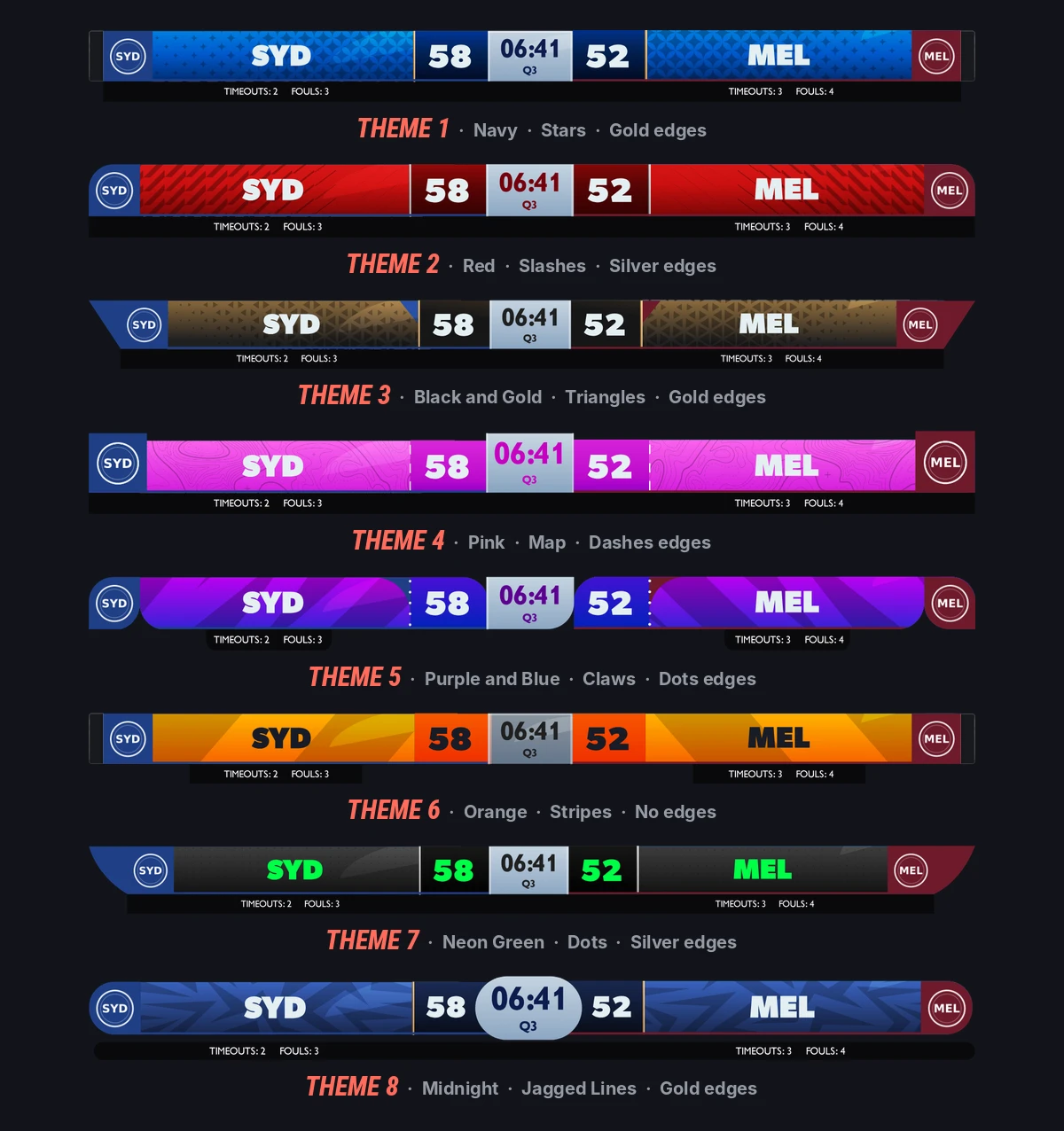
The extensions above are the states this scorebug carries. Each fires from a single data change.
Frequently asked questions
What is a basketball scoreboard overlay?
A basketball scoreboard overlay is the graphic layered over a live stream, and broadcasters call the same thing a scorebug. In basketball it has to carry the score, the period, the game clock, the shot clock, each team's foul count with bonus state and timeouts remaining. Two independent clocks, not one, is what separates it from every other sport's overlay.
What does a basketball scorebug need to display?
A basketball scorebug needs the score for both teams, team abbreviations or logos, the period, the game clock, the shot clock, each team's foul count with bonus state, and timeouts remaining. FIBA and college broadcasts add the alternating possession arrow. The shot clock is the element that distinguishes a basketball bug from any other sport's overlay.
How long is the shot clock in basketball?
The NBA and FIBA both use a 24 second shot clock. NCAA men's basketball uses 30 seconds. The clock resets on a change of possession and on a shot that hits the rim. Because the length differs by competition, a scorebug should read shot clock length from configuration rather than hard-coding 24 seconds.
What is the 14 second shot clock reset?
When the attacking team rebounds its own missed shot, the shot clock does not return to a full 24 seconds. Under NBA and FIBA rules it resets to 14. NCAA men's basketball applies the same principle with a reset to 20 from a 30 second clock. A scorebug that always resets to the full value will show the wrong number on every offensive rebound.
What does bonus mean on a basketball scoreboard overlay?
Bonus means a team has committed enough fouls in the period that every further foul sends the opposition to the free throw line. Under FIBA and NBA rules that threshold is the fifth team foul in a quarter, and the count resets at the start of each quarter. It is a persistent state on the bug, not a one-off graphic.
How many fouls before a basketball player fouls out?
Five personal fouls under FIBA and NCAA rules, six in the NBA. A scorebug should warn as a player approaches the limit and then run a dedicated graphic on disqualification, because the player also has to be removed from any on-court stats strip. Technical and flagrant fouls count separately and a flagrant 2 is an immediate ejection.
Can you run a basketball scoreboard app without an official data feed?
Yes. Most basketball below the top professional tier has no data feed, so the scoring app becomes the feed. With LIGR, an operator uses the LiveScore app to log real events and the graphics update automatically, with every event timestamped for stats and highlights. The same graphics run unchanged if an official feed is available later.
Run a broadcast-grade basketball scoreboard online
Two clocks, team fouls, bonus state and timeouts, driven by real match events rather than typed in by hand. Cloud rendered, no hardware.