Scoring & Data/Scoring & Data · LiveScore App
All it takes is one phone on the touchline
Everything on the broadcast follows the score, and the score follows whoever is standing at the ground. The LiveScore App is the part of the platform that person uses: a browser on a phone, no install, no dashboard, and no access to anything else.
The person at the ground is not an operator
At the levels where most sport is played, nobody is employed to run a broadcast. The person who knows what just happened is a team manager, a volunteer, a parent or the camera operator, and they are holding a phone in the rain.
So the app runs in a browser at score.ligr.live. There is nothing to download from an app store, nothing to update, and nothing to install on a device somebody else owns. It is built mobile first, which shows in the layout and the size of the buttons, and it works on a laptop too.
Access to this, and nothing else
Live Scorer
A permission level that grants the LiveScore App and nothing more. Sign in and you land at score.ligr.live rather than the dashboard. That is the design, not a fault.
Invited, not shared
The organisation Owner invites a scorer by name and email and picks the role. The invitation is verified by email before the account can reach anything.
Changed in one place
Permission levels are changed from the same screen. If a scorer needs more than scoring, they are moved up a level rather than handed someone else's login.
This is the part that makes handing scoring to a volunteer reasonable. The person tracking corners at an under-15s fixture cannot see billing, cannot reach another club's matches, and cannot change a competition.
Four taps put it on air
01
Tap the event
Goal, yellow card, corner, substitution. Which buttons appear depends on the sport configured for the match, so a scorer is not hunting past events that cannot happen in their game.
02
Pick the team
One tap. The event is now attributable even if nothing else is configured.
03
Pick the player
Only if player data exists for those teams. The selected player is highlighted in green so the scorer can see the choice landed before looking back up at the pitch.
04
Confirm
The time is recorded from the moment the button was tapped, not from when the entry is finished. The fact goes to the match record and, if overlays are configured, to the broadcast.
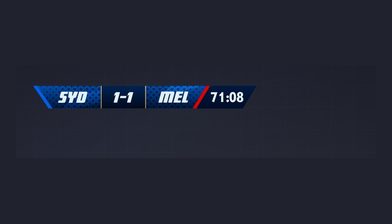
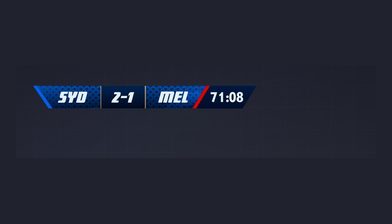
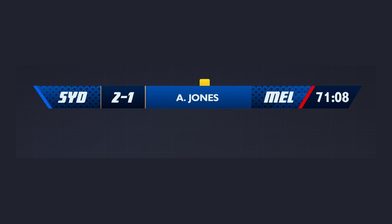
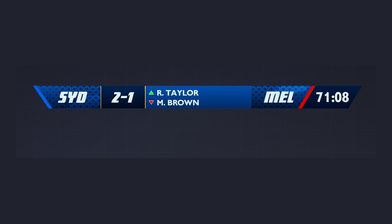
Names on screen start in the roster
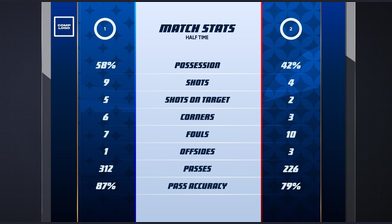
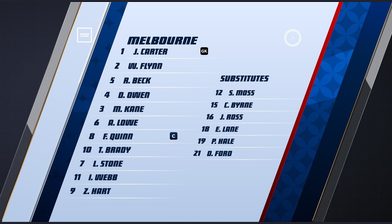
Player data is optional and the app works without it: every event is still captured, attributed to a team, and still drives the graphics. What you lose is the name.
With rosters in place, facts attach to individuals, names appear on the overlays in real time, and per-player statistics accumulate across the season. Rosters are built in Assets before the match, not in the app, and there is a CSV import with a sample file if you are loading a squad rather than typing one.
Two things catch people out. The players toggle in match settings has to be on for that match, and if the match has already started you may need to refresh the app before new player data appears.
Questions
No. It runs in a browser at score.ligr.live and is not on the App Store or Google Play. It is built for phones but works on any browser.
More on scoring & data
Match facts
What gets captured, how to fix a mistake, and how to add an event nobody logged at the time.
See match factsMoments Editor
For the passages the event list never captured, cut from the full recording afterwards.
See the Moments EditorScoring & Data
The module this sits under: the data layer everything on the broadcast reads from.
See the modulePut your next match on air
Tell us about your competition and we’ll show you how it looks with LIGR.