The broadcast, decided in advance
Decide once what the broadcast does before kick-off, when a goal goes in, at the break and at full time, and every fixture in the competition runs it without anyone at a keyboard.
The operator's judgement, written down
Most broadcasts are a person watching the match with one hand on a keyboard, taking graphics in and out. That works for the fixture you have a crew for. It does not work for the other two hundred on a Saturday, and it is why most competitions cover their showpiece game properly and leave the rest bare.
A game plan is that operator's judgement, written down once. Which graphics run before kick-off and in what order. What happens when a goal goes in. Which sponsor runs at the ten-minute mark. What plays when the whistle goes. Build it for the competition, and every fixture in that competition inherits it.
Game Plans are part of LIGR AutomationWhat a plan is made of
Playlists, grouped into the parts of a broadcast, each with the trigger that fires it and how long it runs. Play any playlist through and watch each item go out in the preview, in order.
Pre and post match
Line-ups, previews, a countdown, sponsor rotations. Pre-game loops until kick-off; post-game plays through once, so the final score goes first.
Event triggers
Goals, yellows, reds, second yellows, substitutions. The feed reports the event and the playlist attached to it fires, populated.
Timed triggers
Anything on the clock rather than the match: a sponsor at ten minutes, a stat at the half hour, a graphic on every period start.
Milestone triggers
Patterns rather than single events, such as every third card or every fifth substitution, for the summary graphics that only make sense once something has happened a few times.
Priority
Two things happen at once and something has to give. Every playlist carries a priority: when two fire at once, the higher priority takes air and the other queues, so a goal is never held up behind a substitution.
Theme instances
One game plan, several outputs. A full-graphics feed for the media stream and a scoreboard-only feed for a distribution partner, off the same match data.
What the automation reaches for
The graphics a game plan fires are the ones built in FUSE, and the control variables set there are what the automation actually reaches for.
A scoreline graphic carries a showGoals variable. The goal playlist turns it on, so the scoreline comes back with the scorer on it rather than just the number. A scoreboard built for a clean distribution feed carries variables for stoppage time, card indicators and substitution counts, and the scoreboard-only instance sets them differently from the media feed. Same graphic, same match, two behaviours, because the variable was exposed rather than hard-coded.
Control variables are created in FUSEWatch it before the match
You do not have to wait for a match to find out whether a game plan works. Pick a played match and the preview rehearses the plan against it: pre-game, every trigger in sequence, the breaks, post-game. Not played yet? Pick it anyway and simulate its events.
The monitor shows the real graphics, and the run sheet beside it explains each trigger: the rule, the data it carried, what it put on air, and a link to edit the rule. Run it at 10x, 30x or 60x and real-time graphics slows to 1x for each graphic, so a goal sequence plays at the speed it will go out. Coverage lists the rules that never fired, and Compare themes plays the same moment in two theme profiles.
And after it
When the match is over, open it again and load the match ID. Review pulls a snapshot of every event that was logged against the game plan across the whole fixture.
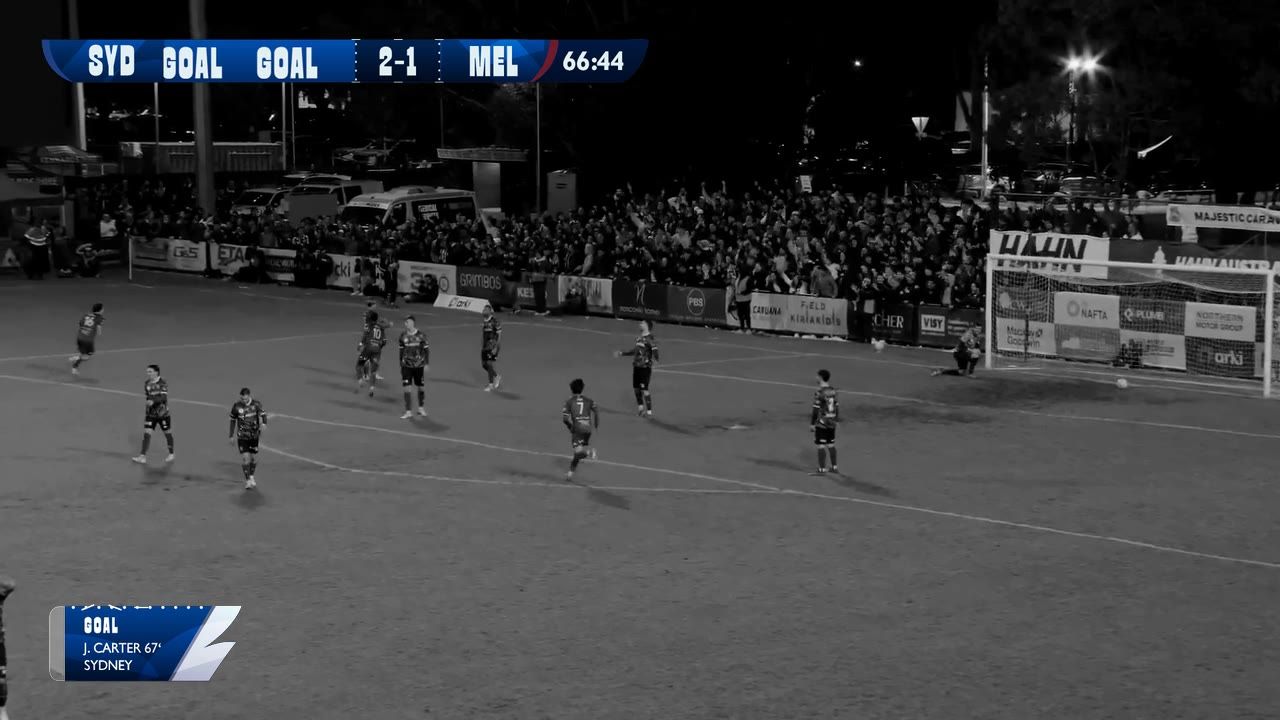
It is the same timeline, filled in with what actually happened rather than what was meant to. Every fact, every timed trigger, every milestone, in order, scrubbable, at whatever speed you want. Click a trigger and watch exactly the graphic that went out at that moment. It answers the question nobody could answer before: not whether the automation ran, but what it actually put on screen in the sixty-seventh minute.
A match with no game plan attached has no snapshot, so there is nothing to review.
Watch it work
Build it once and it runs itself
A pre-game loop that fills the gap until the start, a post-game sequence that plays once, one game plan that every fixture runs, and a preview that plays the whole match before it happens.
0:38, with sound.
At a glance
Plans
Game Plans are included on LIGR Studio and LIGR Pro.
On Pro
The same plans, driven off a live data feed rather than manual scoring.
Try it
Build a plan against a competition and preview it before you schedule a match.
Go further
GamePlan Automation
The module Game Plans belong to, with the defaults that ship with it.
See automationEvent triggers
Goals, cards and substitutions, each calling up the graphic assigned to it.
See event triggersFUSE
Where the graphics a plan fires, and the control variables it reaches for, are built.
See FUSEPut your next match on air
Tell us about your competition and we’ll show you how it looks with LIGR.